
Brainpower
See what your AI coding tools really use.
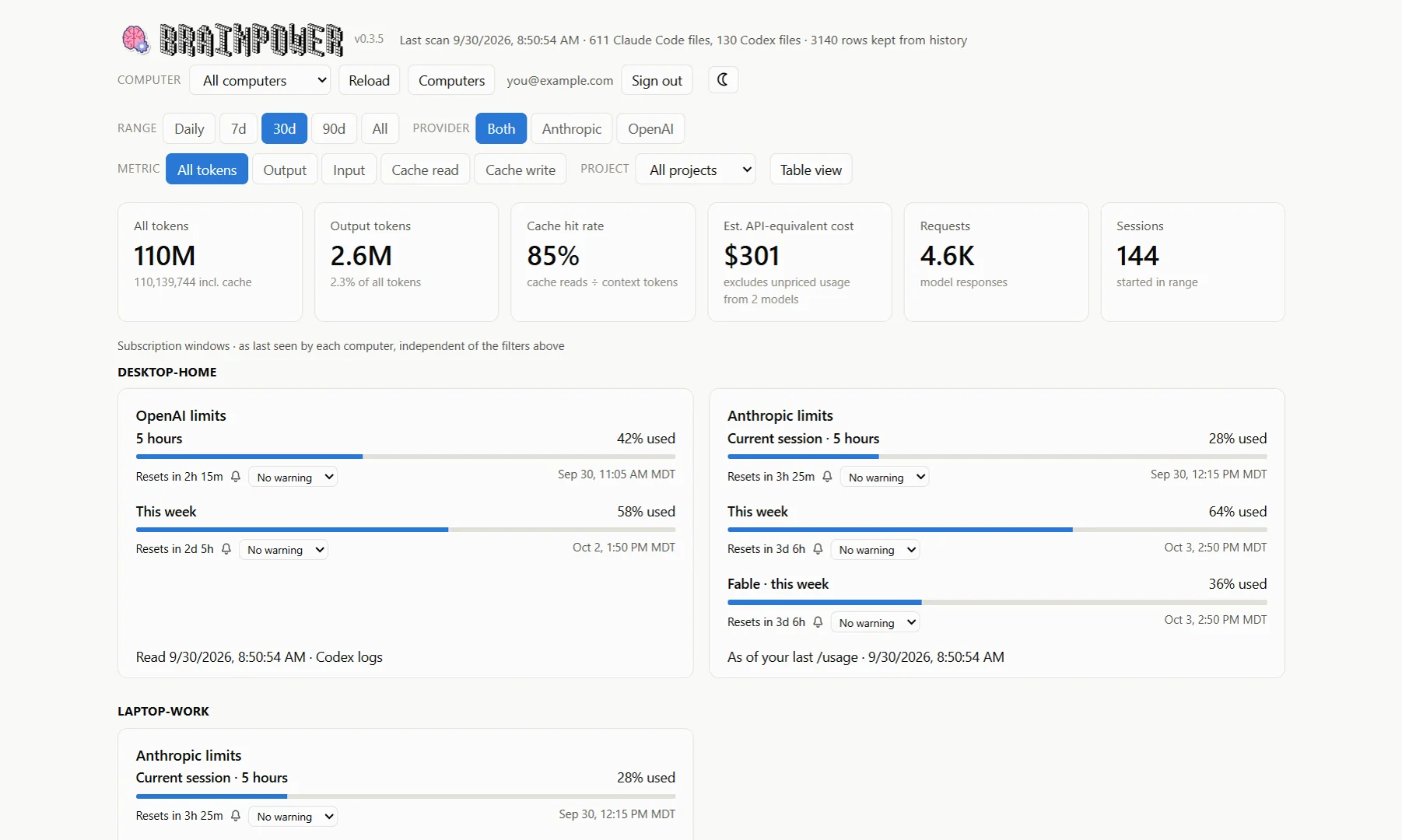
Claude Code and OpenAI Codex keep a log of every session on your machine. Brainpower reads those logs and turns them into a dashboard: tokens per day, by model and by project, what today looks like hour by hour, how much of your plan’s usage windows is left, and what it would all cost at API list prices.
What you get
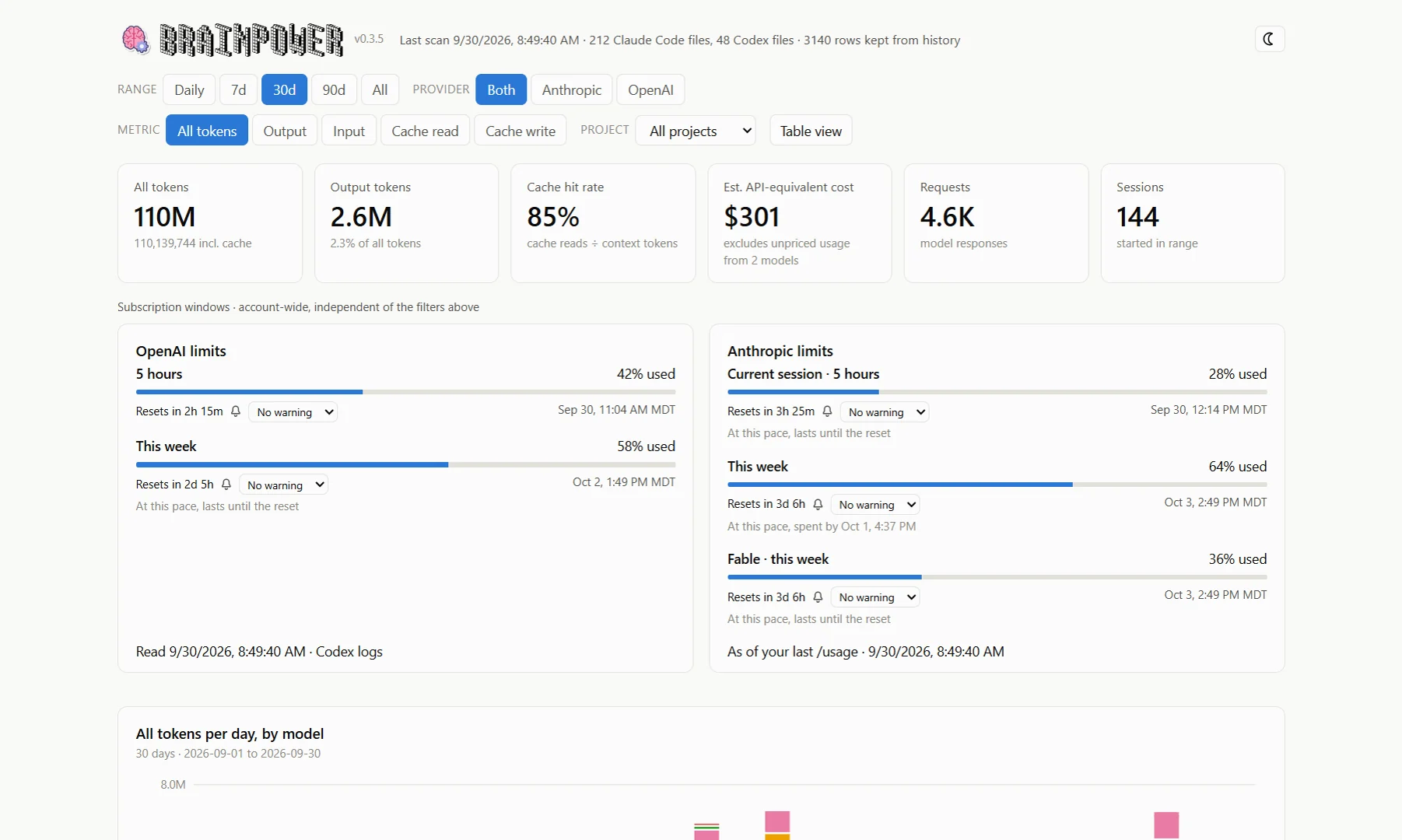
Every day, every model, every project
Daily usage stacked by model, with the same colour for a model everywhere. Filter by provider, project and token class: uncached input, cache reads, cache writes or output. Switch any chart to a table.
- Anthropic and OpenAI side by side, normalised so the numbers compare
- Cache reads, cache writes and the 1-hour cache share, counted the way the vendors bill them
- Largest sessions, with their models and duration
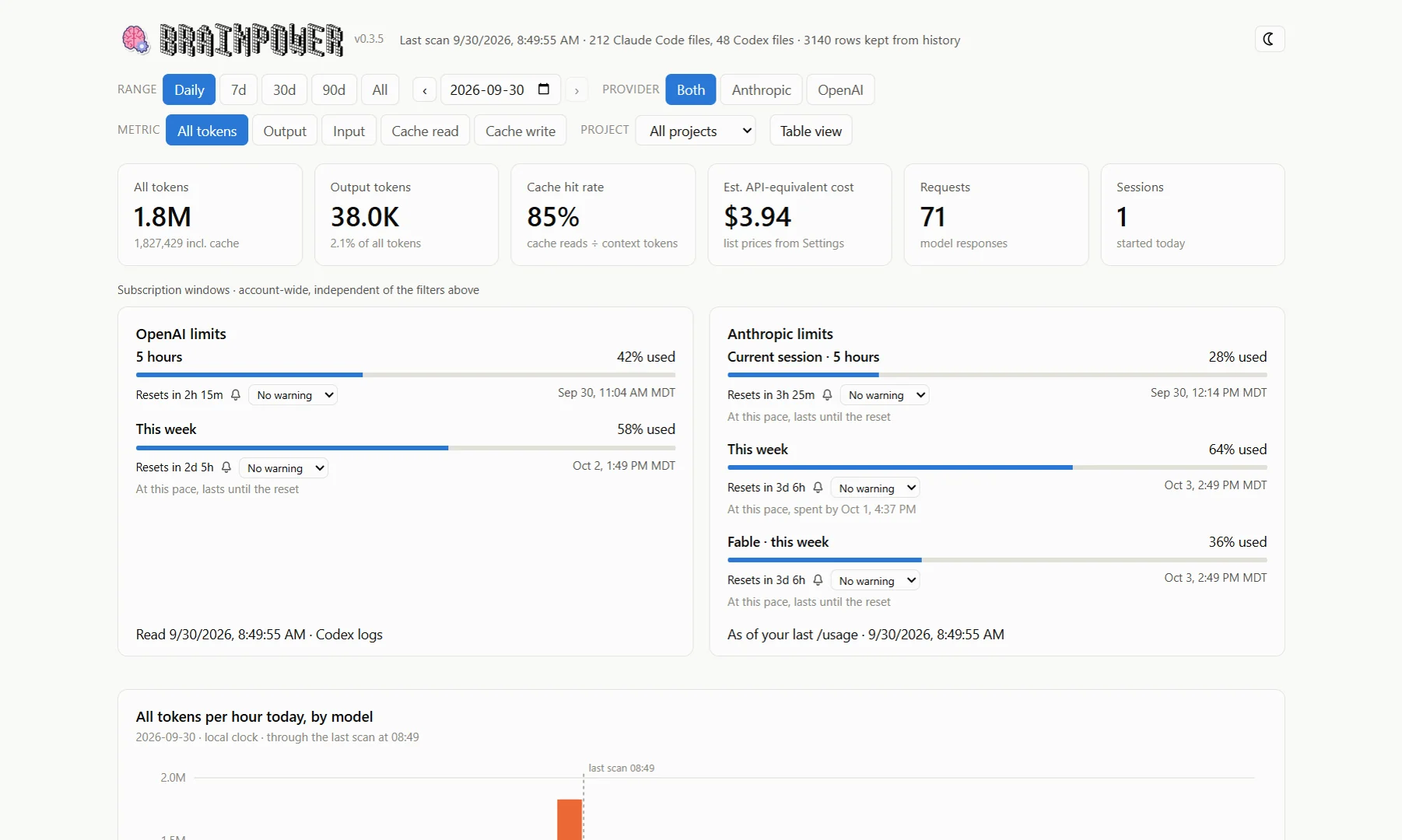
Today, hour by hour
The Today range shows the current day as one column per hour, and a running total against what a typical day looks like, so you can tell a heavy morning from a heavy month.
How much of your plan is left
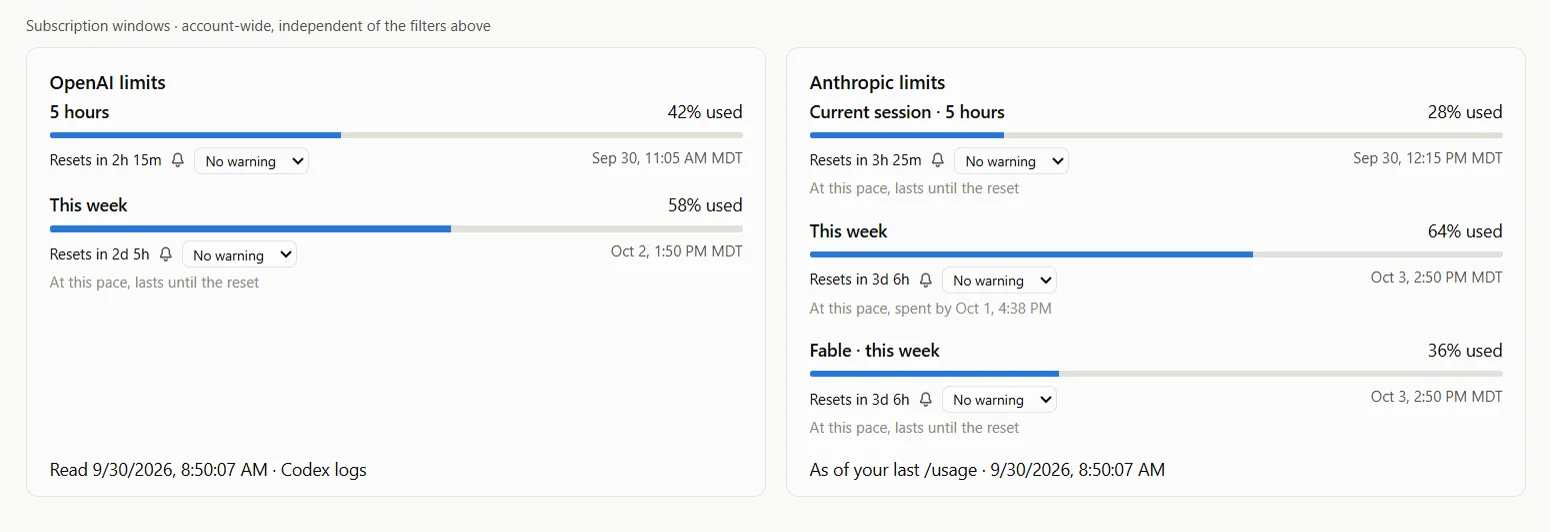
Codex's 5-hour and weekly limits and Claude Code's session, weekly and per-model windows, each with what it has used and when it resets, counting down in your own time zone. Read from what the tools themselves record on your machine, refreshed on every scan — or, if you switch it on, straight from Anthropic. Set the bell on a window and Brainpower rings when it resets.
Cost at list price, with rates you control
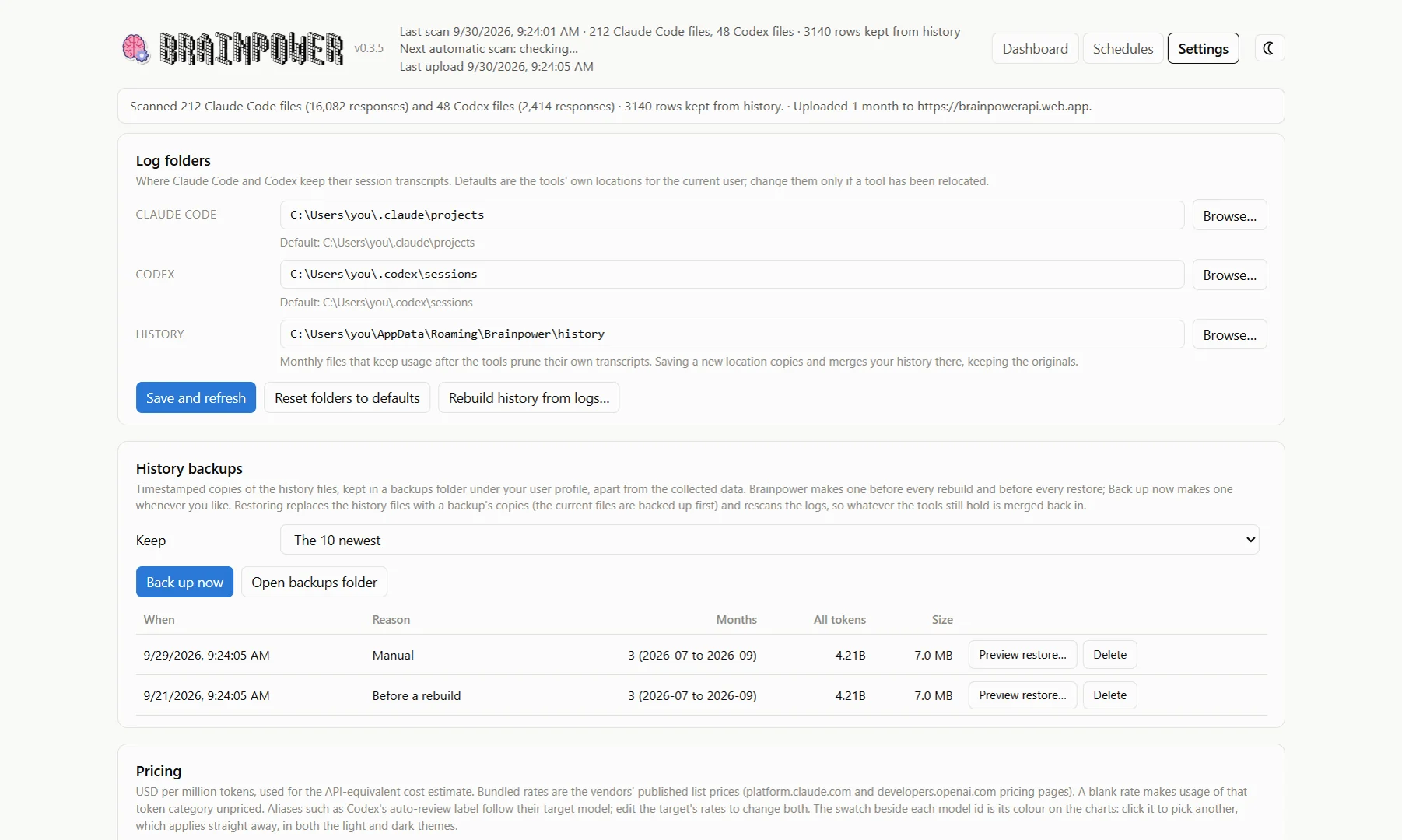
Every model's price per million tokens is editable, with the vendors' published rates bundled and a one-click comparison against a community price list. Pick any model's colour. Point the app at relocated log folders. Start it with Windows and keep it in the tray.
All your computers in one place
Link a computer to your account and it uploads its monthly history after every scan. Sign in here to see the total across your machines, or one at a time. Only token counts per day, model and project go up, never transcripts. Each computer can also share its limit windows, and the portal keeps those separate rather than adding them up.
How it works
Install
Run the installer or the portable exe. There is nothing to configure: the app knows where Claude Code and Codex keep their logs.
Scan
Every launch and every Refresh re-reads the logs. Each scan is merged into a monthly history file, so your numbers survive when the tools prune old transcripts.
Link, if you like
Settings → Cloud sync signs you in with Google and links the computer. From then on the portal shows every linked machine together.
Every tab, card and setting is described in the guide, with screenshots.
Privacy
Local by default
Logs are read on your machine and the dashboard is rendered from local files. The app has no network access until you link it, apart from an optional, on-demand price-list check and, only if you switch it on, a request to Anthropic for Claude Code’s usage windows made with Claude Code’s own sign-in.
Counts, not conversations
When linked, what goes up is the monthly history: tokens per day, model and project, session summaries, hourly totals, and your pricing and colour settings. Limit windows are shared only if you switch that on, and then only the percentage used and the reset time. Transcripts and prompts never leave your computer.
Yours to delete
Unlink a computer from Settings, or remove it on the portal to delete its uploaded history. The files on the computer are untouched.